
Get back to what you were doing. Instantly.
One shortcut finds any tab, bookmark, or recent page. One keystroke returns you to your last tab. Whole windows save and restore as Spaces. Your browser stops being the slow part.
Works in Chrome, Edge, Brave, Arc, and other Chromium browsers.
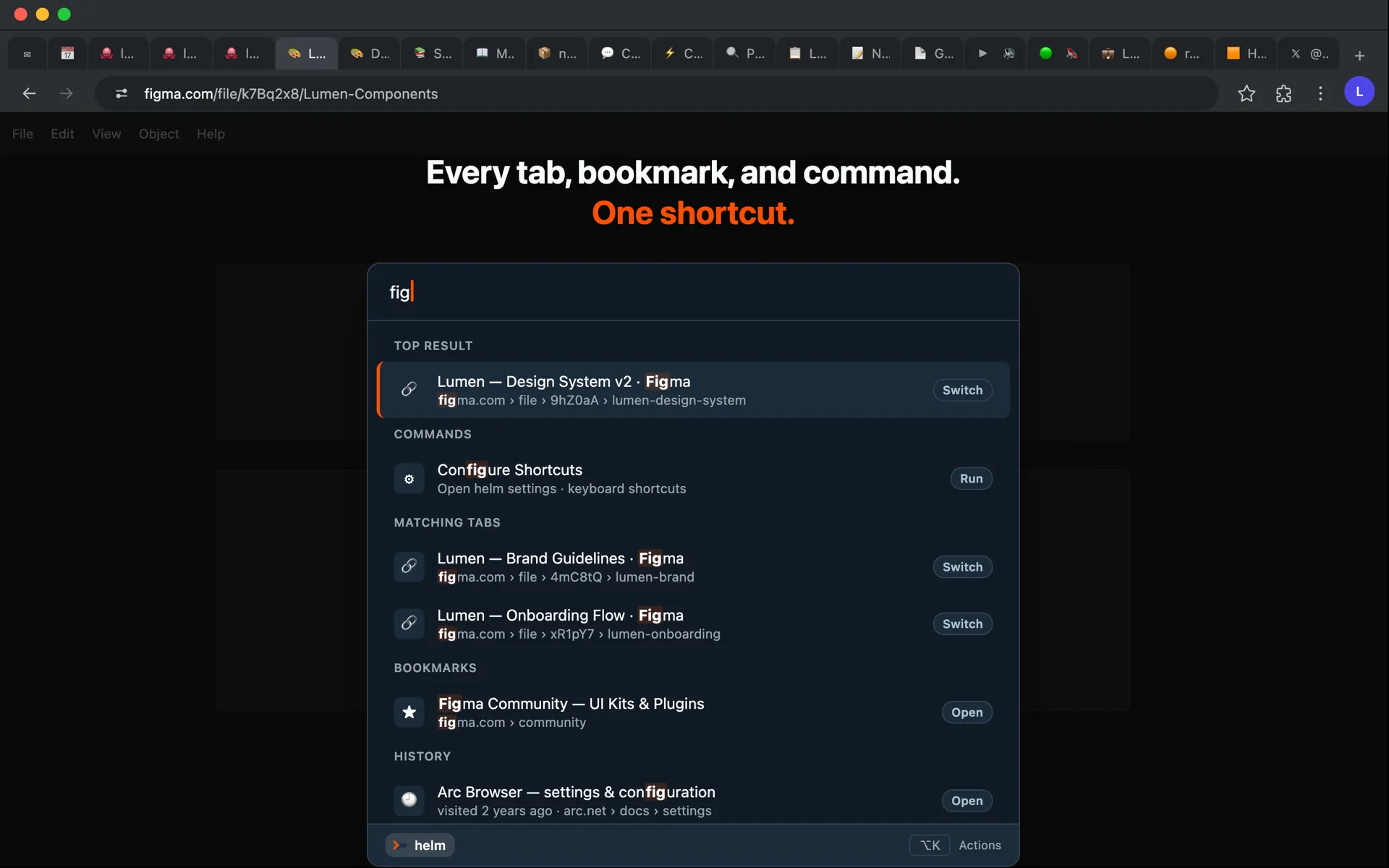
Every tab, every window — always findable
See everything you've got open, act on many tabs at once, and save whole windows for later.


Back to your last tab in one keystroke
Tap the shortcut to jump straight to the tab you were just on — or open the switcher and step back through your recent tabs, in the order you actually used them.
A new tab page that works for you
Mission Control replaces the default new tab. Clock, weather, recent tabs, quick links, and saved Spaces — all configurable, with custom backgrounds. Every new tab opens to context, not noise.

Your data stays yours
Local-first. Tabs, settings, aliases, and Spaces are stored on your device using Chrome's local storage API. Nothing leaves unless you ask it to.
Never sold or shared. helm doesn't run ad networks, and your data is never sold or handed to third parties.
Your data is portable. Export and import your settings and Spaces at any time. See the full privacy policy for details.
Frequently asked
What is helm?
helm is a keyboard-first upgrade for Chrome, Edge, Brave, and other Chromium browsers. Press Cmd+K and type — helm finds any tab, bookmark, or page from your history and takes you there. It also manages tabs in bulk, saves whole windows as Spaces, and replaces your new tab with a page that gets you back to work. (If you've used a command palette in an editor: it's that, for your browser.)
How do I open helm?
Press Cmd+K on Mac or Ctrl+K on Windows and Linux. You can change this in your browser's extension shortcuts settings.
Does helm collect my data?
helm stores your data on your device — no ad networks, and nothing sold or shared with third parties. See the privacy policy for the full breakdown.
Does helm work on Edge, Brave, or other browsers?
Yes. helm works on any Chromium-based browser — Google Chrome, Microsoft Edge, Brave, Vivaldi, and Arc.
I'm coming from Arc — is helm a replacement?
Partly. helm brings back the keyboard parts — the command palette, fuzzy tab search, and Spaces you can save and restore — inside the Chromium browser you already use. It doesn't replace Arc's sidebar or its window management. There's a fuller comparison on the Arc alternative page.
Why does helm need so many permissions?
Each one powers a specific feature, works on your device, and is never used to collect or sell your data. The main ones:
- Running on every site — the one that looks alarming. It lets the palette open on any page and keeps your custom tab names in place. helm only reads a page's content when you run Export to Markdown or Extract Images.
- Tabs, bookmarks, history, and downloads — so you can search and manage them from the palette.
- Tab groups — for groups and saved Spaces.
See the full permissions breakdown for every one.
Are there things helm can't do?
A few — these are Chrome's sandbox boundaries, the same for every extension:
- The palette can't auto-focus on a brand-new tab — Chrome gives the address bar focus. Press Cmd+K to open it.
- helm only sees the profile it's installed in — tabs and bookmarks from other Chrome profiles aren't visible.
- Internal browser pages (
chrome://settings,chrome://extensions, etc.) are off-limits to all extensions, so they don't appear in search.